Zero-Click Exploits: How Mobile Wallets Get Drained Without a Single Tap
A zero-click exploit drained $4M from iPhones with no tap required. Here's how it works and how to defend.
You didn't click a suspicious link. You didn't approve a transaction. You didn't even unlock your phone. But your wallet is empty. That's the reality of a zero-click exploit — an attack that compromises your device without any interaction at all. In October and November 2026, a zero-click exploit chain drained at least $4.06 million in USDT from 365 TRON wallet addresses on iPhones, with no phishing link and no malicious app install required. This guide explains what zero-click exploits are, how they're targeting crypto wallets right now, and the defensive habits that actually reduce your risk.
What Is a Zero-Click Exploit?
A zero-click exploit is a cyberattack that compromises your device without requiring you to tap, click, or interact with anything. The attacker sends specially crafted data — a hidden text message, a malformed image file, a push notification — that triggers a vulnerability in your phone's software. The exploit runs silently, often gaining deep access to the operating system before any security prompt appears.
What makes zero-click exploits particularly dangerous is the absence of any warning sign. Traditional phishing needs you to click a link. Malware needs you to install something. A zero-click attack needs nothing from you — just a reachable device with an unpatched vulnerability.
How Zero-Click Differs from Phishing and Traditional Malware
The distinction matters for defense:
| Attack type | Requires user action? | Primary vector | How to prevent |
|---|---|---|---|
| Phishing | Yes — click a link, enter credentials | Fake websites, emails | Verify URLs, don't click blindly |
| Malware / trojan | Yes — install a malicious app | Fake apps, compromised downloads | Download from official stores only |
| Zero-click exploit | No — fully remote | OS vulnerabilities in messaging, media processing | Keep OS updated, reduce attack surface |
The shift toward zero-click is accelerating. In 2025, security researchers documented 15 mobile zero-day vulnerabilities — up from 9 in 2024. An estimated 90% of exploit chains during that period targeted mobile devices specifically. The most notable precedent came in 2021, when the Pegasus spyware exploited an iMessage vulnerability to silently compromise iPhones worldwide, bypassing Apple's BlastDoor security feature without any user interaction.
How Zero-Click Exploits Are Draining Crypto Wallets
Zero-click exploits aren't new, but their use against crypto wallets is a recent and rapidly growing threat. In late 2026, a sophisticated exploit kit called DarkSword demonstrated that mobile wallets are now a primary target — not just phones in general, but the wallet apps and private keys stored on them.
The DarkSword Exploit Chain
DarkSword is a zero-click exploit kit that chains six separate iOS vulnerabilities together to gain deep device access. It targets iPhones running iOS 18.4 through 18.7 and can be delivered through malvertising — malicious ads served through legitimate ad networks — or expired analytics tags embedded in otherwise normal web pages. One confirmed infection was traced to an Instagram advertisement.
Once active, DarkSword extracts data from the iOS Keychain, where mobile wallets store encrypted private keys and seed phrases. The kit specifically targets wallet applications including Trust Wallet, Phantom, Exodus, and Coinbase Wallet. It doesn't need you to open the wallet app or approve a transaction — the extraction happens at the operating system level, below the app's own security layer.
The financial impact has been severe. Between October 5 and November 4, 2026, on-chain forensics traced at least $4.06 million in USDT stolen from 365 TRON addresses linked to compromised iPhones. The total attributed to DarkSword-related campaigns reached approximately $5.57 million across more than 20 different wallet types. Security Alliance logged six separate iOS wallet-compromise reports totaling roughly $127,000 in just one week (October 28 to November 3).
The Attack Surface on Your Phone
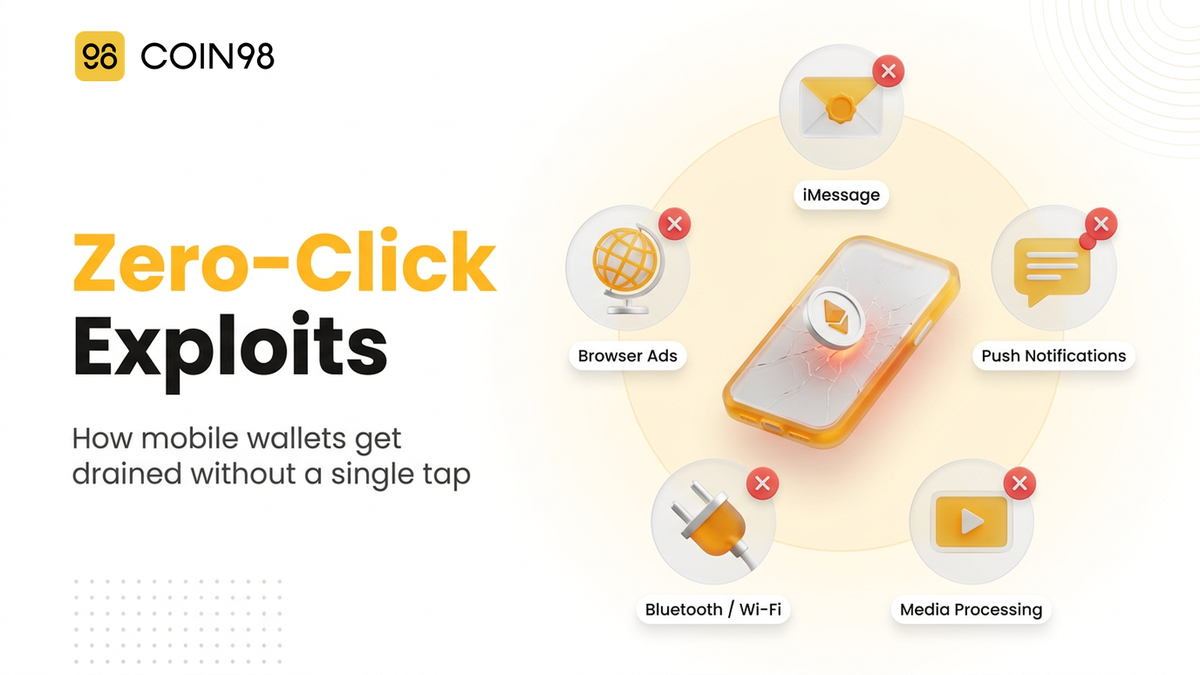
Your phone's attack surface — the set of entry points an exploit can target — is broader than most people realize:
- Messaging apps (iMessage, RCS, WhatsApp): these process incoming data automatically, even before you read a message
- Push notifications: the notification system parses data from remote servers without user interaction
- Media processing: image and video decoders run automatically when content is received
- Bluetooth and Wi-Fi: proximity-based protocols that can be exploited without internet access
- Browser engines: ad-rendering and JavaScript execution in Safari or Chrome can trigger vulnerabilities
Every app with network access and automatic data processing is a potential entry point. The more apps with these capabilities running on the same device that holds your private keys, the larger your exposure.
How to Protect Your Mobile Wallet
You can't patch vulnerabilities before they're discovered, and you can't block exploits you don't know exist. But you can shrink the target and limit the damage.
Keep Your OS and Apps Updated
This is the single most effective defense. Every zero-click exploit targets a specific vulnerability in a specific software version. DarkSword affected iOS 18.4 through 18.7 — users who updated to iOS 18.8 when it shipped were no longer vulnerable. Enable automatic updates for both your operating system and your wallet app. Coin98 Super Wallet supports automatic updates to help you stay on the latest security patches.
The window between a vulnerability's discovery and the patch release is when you're most exposed. Delaying updates by even a few days can be the difference between a secured device and a compromised one.
Reduce Your Phone's Attack Surface
Fewer entry points means fewer opportunities for an exploit to land:
- Consider disabling iMessage if you don't need it. iMessage has been the most frequently exploited zero-click vector on iOS. If you can use a different messaging app, disabling iMessage removes the single largest attack surface.
- Enable Lockdown Mode (iOS) or equivalent. Apple's Lockdown Mode disables several automatic processing features — including some iMessage attachment types, certain web technologies, and incoming FaceTime calls from unknown contacts. It's designed specifically for high-risk users.
- Minimize app permissions. Review which apps have access to Bluetooth, location, camera, and notifications. Each permission is an attack surface.
- Use clipboard protection. Clipboard data is readable by any app in the foreground. Coin98 Super Wallet's clipboard protection clears sensitive copied data after use, and the wallet's security and privacy features include biometric locks and transaction risk scoring that add layers even if the device is partially compromised.
Move Large Holdings Off Your Phone
The most direct way to protect funds from a device-level exploit is to not keep them on the device. A hardware wallet stores private keys on a separate chip that never connects to the internet. Transaction signing happens inside the device, and you must physically press a button to approve — something no remote exploit can do.
For funds you actively trade, consider splitting across multiple wallets: a hot wallet on your phone for daily transactions with limited funds, and cold storage for everything else. You can also use a watch-only wallet to monitor your portfolio from your phone without exposing any signing keys.
If you suspect your device may be compromised, Coin98's incident response guide walks through the steps: move funds immediately from a clean device, revoke all active approvals, and treat every key stored on the compromised phone as exposed.
Frequently Asked Questions
Can a zero-click exploit steal my seed phrase directly from my phone?
Yes. If your seed phrase or private key is stored in the device's keychain or in the wallet app's local storage, a zero-click exploit with sufficient privileges can extract it. DarkSword specifically targets iOS Keychain data where wallet apps store encrypted keys. This is why keeping large holdings on a hardware wallet — where keys never exist on the phone — is a stronger defense than any software-level protection.
Does iOS Lockdown Mode protect against zero-click exploits?
It significantly reduces the attack surface by disabling several automatic processing features that exploits typically target: some iMessage attachment types, certain web technologies in Safari, and incoming FaceTime calls from unknown contacts. It doesn't guarantee immunity — a sufficiently novel exploit could still find an entry point — but it removes many of the vectors that DarkSword and similar kits have used. We'd recommend enabling it if you hold meaningful crypto on an iPhone.
Are Android phones safer than iPhones from zero-click exploits?
Neither platform is immune. Android has its own history of zero-click vulnerabilities, and the fragmented update ecosystem means many Android devices run outdated software longer than iPhones. The DarkSword campaign in late 2026 specifically targeted iOS, but similar exploit kits targeting Android exist. The defense is the same regardless of platform: keep updated, minimize attack surface, and don't store large amounts on any internet-connected device.
How can I tell if my phone has been compromised by a zero-click exploit?
Zero-click exploits are designed to be invisible, so there's often no obvious sign. Subtle indicators can include unusual battery drain, unexpected data usage, or the phone running warm without heavy use. Specialized tools like iVerify can scan for indicators of compromise on iOS. If you notice unexplained outbound transactions from your wallet, treat the device as compromised immediately — don't wait for a diagnosis. Move funds from a separate clean device first, then investigate.
Last updated: November 2026