What is a fake dApp, and how do you check before you connect?
Impersonation scams grew 1400% in 2025. How spoofed dApps copy real crypto apps, what you're actually signing, and how to check before you connect.
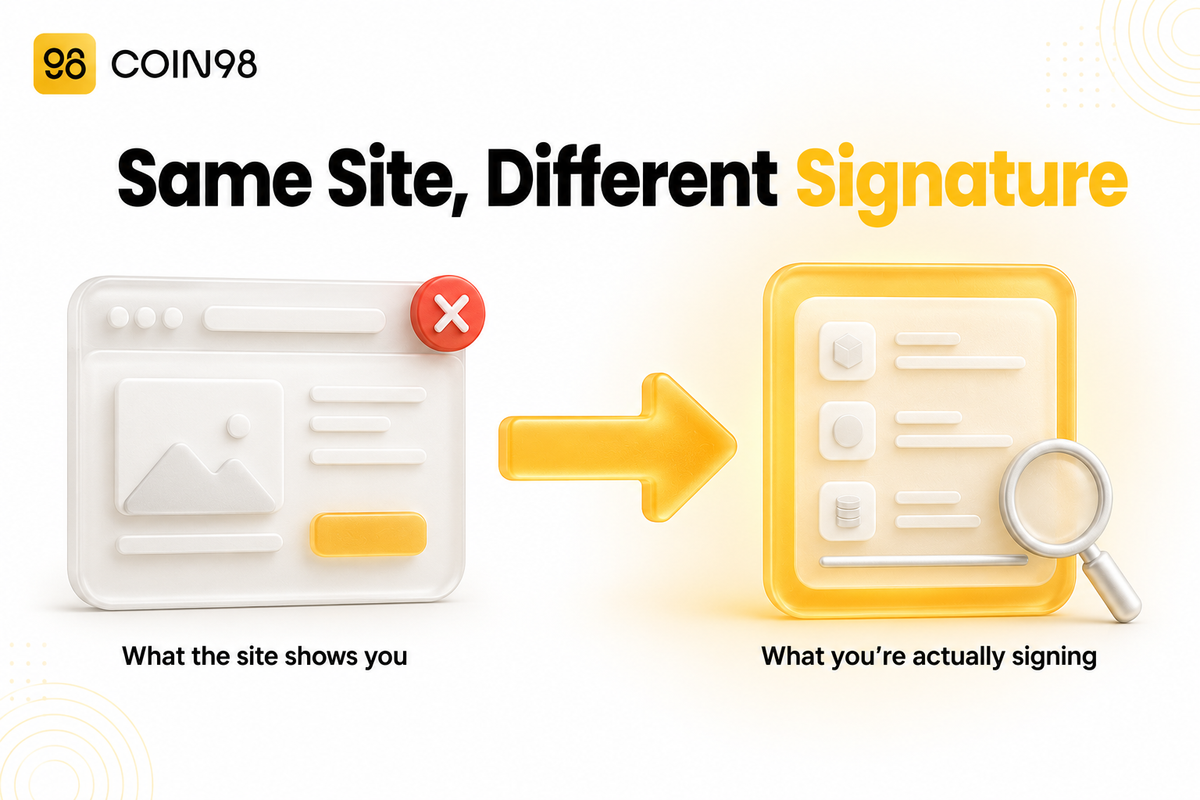
A fake dApp is a website built to look exactly like a real crypto app, with one job: get you to sign a transaction that hands your funds to someone else. It doesn't need your password or your seed phrase. It needs one signature, and most people give it without reading what they're signing. Impersonation scams grew 1400% year over year in 2025, according to Chainalysis's 2026 Crypto Crime Report, and the average payment a victim made rose from $782 to $2,764. This guide covers how spoofed sites reach you, what you're really approving when you connect, and the checks that take about fifteen seconds.
Last updated: August 2026
What is a fake dApp?
A fake dApp is a phishing website that copies a real app's design, domain, and flow to capture a wallet signature. The copy is usually pixel-perfect, because cloning a front end is easy — the attacker saves the real site and changes what happens when you click "Confirm."
What it isn't matters just as much. A fake dApp doesn't break your wallet's encryption, guess your private key, or usually install malware. It uses the wallet exactly as designed. You approve a transaction, your wallet does what you told it to, and the funds move. That's why the loss is usually permanent — nothing was hacked.
Three terms get mixed up and shouldn't be:
| Term | What it means |
|---|---|
| Fake dApp / spoofed site | A cloned web front end that requests a malicious signature |
| Wallet drainer | The software behind the site that builds the malicious transaction and routes assets out |
| Fake wallet app | A counterfeit app in an app store, which targets your seed phrase at setup instead |
Wallet drainers are rented, not built. One team writes the code and takes a cut of every theft; other people clone the sites and drive you to them. Group-IB traced roughly $80 million stolen through Inferno Drainer between November 2022 and November 2023, across everyone renting it. The person who fooled you probably didn't write a line of the code that robbed you.
For the wider map of attack types, our overview of common attacks targeting crypto wallet users in 2026 shows where spoofed dApps sit alongside the rest.
How you end up on a spoofed site
You rarely find a fake dApp by accident. It's placed where you'll look. Four routes cover most cases.
Search ads. Paid placement puts a spoofed domain above the real one. Cobo's security guide documents a user who clicked a sponsored ad for a well-known swap app, connected, approved an unlimited token allowance, and was drained immediately. The site was a copy; the ad slot was bought.
Replies and DMs on social platforms. Attackers reply to the real project's announcements from accounts that look official.
Lookalike domains. One swapped character does the work. Researchers at Huntress describe homograph attacks that replace the Latin "a" with a Cyrillic "а" (U+0430) — identical in many fonts. These register as xn-- punycode domains, and browsers show them differently: Chrome shows the raw punycode, Safari often renders the Unicode version that looks legitimate.
Fake "revoke" and "migration" sites after a hack. This one works against your instincts. When a protocol gets exploited, users rush to revoke their approvals — and drainer operators are waiting. Blockaid tracked five such campaigns in April 2026 alone:
| Incident | Date | Loss | Spoofed domain |
|---|---|---|---|
| Drift Protocol | April 1, 2026 | $285M | revokes-drift[.]trade |
| KelpDAO | April 18, 2026 | $292M | revoke-kernelsdao[.]com |
| ZetaChain | April 27, 2026 | $334K | revoke-zetachain[.]com |
| Aftermath Finance | April 29, 2026 | $1.1M | aftermathfi[.]xyz/migrate |
| Wasabi Protocol | April 30, 2026 | $5M | exploit-wasabi[.]com/migrate |
In the KelpDAO case, the malicious domain appeared the same day as the $292 million breach. Blockaid also recorded nine coordinated retweets from repurposed accounts within six minutes, and in the ZetaChain campaign, drainer posts turned up in reply threads to Blockaid's own security alert. April 2026 saw over $629 million drained across more than 20 incidents.
The pattern is worth remembering: the moment you feel urgent about your wallet is the moment you're easiest to fool, and attackers know when those moments happen.
What actually happens when you connect
Connecting a wallet and authorizing a transfer are different actions, and confusing the two is what makes spoofed sites work. Connecting shares your public address and lets the site read your balances. It doesn't move anything.
| Action | What the site gets | Can it take funds? |
|---|---|---|
| Connect | Your public address; read access to balances | No |
| Sign a message | A signed piece of data — sometimes a gasless permission | Yes, if it's a Permit-type signature |
| Approve a token | Permission to spend up to a set amount of one token | Yes, up to that limit |
| Confirm a transaction | An executed on-chain action | Yes |
The danger sits in rows two and three. A token approval lets a smart contract move a token for you — necessary for any swap, and abused when the contract belongs to an attacker. An unlimited approval means no cap. Gasless Permit and Permit2 signatures are riskier for one reason: they cost no gas, so they look like a harmless "sign in" prompt rather than a transaction. For NFTs, setApprovalForAll hands over a whole collection in one click.
Blind signing is when your wallet can't decode a transaction and shows you a hex string instead of a plain-English summary. You're approving something you can't read.
Our guide to dApp permissions and token approvals breaks down what each permission grants. In Coin98 Super Wallet, the Wallet Approval tool lists the allowances you've granted across supported chains, so you can see what's outstanding instead of guessing.
How to verify a dApp before you connect
Run these checks in order. The first two catch most spoofed sites.
1. Arrive from a source you control, not from search. Bookmark the real URL the first time you verify it, then use only the bookmark. Cobo's guidance is blunt: don't use a search engine to find a dApp you've used before. A wallet's built-in dApp browser gets you to a curated list instead of an ad auction.
2. Read the domain character by character. Look for inserted words (app-, -finance, -migrate), swapped letters (unlswap for uniswap), and the xn-- prefix that marks a punycode domain. In Firefox, set network.IDN_show_punycode to true to force punycode display.
3. Treat an unprompted wallet pop-up as hostile. MetaMask's support docs state the rule cleanly: a genuine wallet prompt appears only after you click something. A signature request that fires the moment a page loads is a reason to close the tab.
4. Read the transaction preview, not the page. The attacker controls the website. They don't control your wallet's confirmation screen. Check which contract you're granting access to, which token, and what amount. If the amount is unlimited and you're doing a one-off swap, that mismatch is the tell.
5. Test with a small amount on anything new. Cobo suggests a $10–$100 trial transaction before committing real size.
6. Confirm the URL independently after a hack announcement. Given the April 2026 pattern, get the revoke link from the project's verified channel and check it against a second source. Never take it from a reply, a DM, or an ad.
A pre-connection scan helps too. Wallet Health in Coin98 Super Wallet flags risky approvals and exposure across your wallet — useful as a routine check and after a scare.
If you already signed something
Move fast, and start by working out what you actually authorized.
- Disconnect the site. Review connected sites and remove it — Coin98 documents the steps for managing wallet connections.
- Revoke the approval. Use your wallet's approval manager to cancel the allowance so it can't be used again. Our walkthrough on revoking wallet permissions covers the routine version.
- Move what's left. If you signed a
setApprovalForAllor an unlimited approval, transfer remaining assets to a wallet that never touched the site. - Follow an incident checklist. Coin98's docs set out what to do when a wallet is compromised, including when a fresh wallet is safer.
Two limits to be clear about. Revoking stops future draws on that approval, but it doesn't reverse a transfer that already happened — MetaMask's guidance for compromised accounts puts it directly: "transactions cannot be reversed, nor missing funds restored." And if you typed your seed phrase anywhere, revoking is beside the point: the whole wallet is compromised, and everything in it needs to move to a new one.
Ignore anyone who contacts you offering recovery services after a loss. Chainalysis found AI-enabled scam operations extract an average of $3.2 million each, against $719,000 for traditional ones — and the follow-up approach often comes from the same crews.
Frequently asked questions
Can a fake dApp steal my crypto if I only connect and don't sign anything? No. Connecting shares your public address and lets the site read your balances, which isn't enough to move funds. Every transfer needs a signature or a confirmed transaction from you. Still, a site that has your address can tailor what it shows you next, so disconnecting is worth doing.
Does the padlock icon mean a site is safe? No. The padlock only means traffic to the site is encrypted, not that the site is honest. Phishing domains get free certificates routinely. Treat HTTPS as the minimum bar, not as proof.
What is a fake revoke site? A spoofed page that appears after a protocol is exploited, offering to revoke your approvals or migrate your funds to safety — and instead capturing a signature that drains them. Blockaid documented five such campaigns in April 2026, with domains registered within hours of the incident they referenced.
Will a hardware wallet protect me from a spoofed dApp? Only partly. A hardware wallet stops your private key from being extracted, but it still signs whatever you approve on its screen. If you confirm a malicious approval, the transaction is valid. Its real benefit is forcing a second, slower confirmation step where you can read the details.
How often should I review my token approvals? Monthly for an active wallet, and again right after using any dApp for the first time. Approvals stay live until revoked, so an allowance granted a year ago still works today.
Are experienced users targeted differently from beginners? Yes. Chainalysis reports the average scam payment rose 253% to $2,764 in 2025, and phishing-kit operations were 688 times more effective in dollar terms than scams without them — consistent with attackers focusing on higher-value targets rather than casting wider.
Bottom line
A fake dApp beats you at the confirmation screen, not the login screen. The defence is simple and a little boring: reach dApps through bookmarks rather than search, read the domain one character at a time, and read what your wallet says you're approving rather than what the website says you're doing. Checking your outstanding allowances with a tool like Wallet Approval in Coin98 Super Wallet turns that from a one-time scare into a monthly habit.