DApp Permissions & Token Approval: A Guide to Safe Connecting
Learn the difference between signing and approving transactions. Understand token allowance and how to revoke DApp permissions to keep your crypto safe.
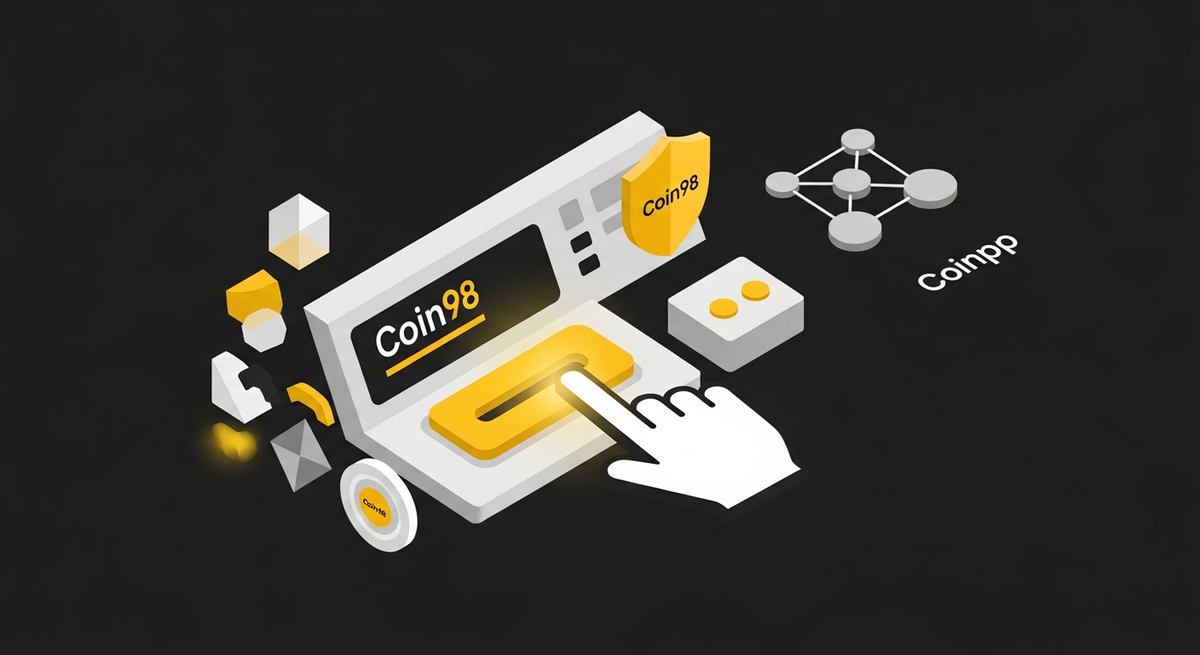
That 'Connect Wallet' Button: More Than Just a Login
In Web3, the “Connect Wallet” button is your gateway to decentralized finance (DeFi), NFTs, and countless other applications. But with great power comes great responsibility. Every time you click approve on a transaction pop-up, you’re signing a legally binding contract on the blockchain. The problem? Most users don't know what they're actually agreeing to.
This isn't about fear-mongering; it's about empowerment. Understanding the difference between a simple signature and a token approval can be the one thing that stands between you and a drained wallet. Let's break down what these permissions mean and how you can manage them effectively.
Signature Request vs. Token Approval: Know What You’re Signing
Not all signature requests are created equal. Broadly, they fall into two categories: authentication and authorization.
1. The Signature Request (Authentication)
This is the most common and generally the safest type of request. When you connect to a DApp like a marketplace or a portfolio tracker for the first time, it will ask you to sign a message.
- What it is: A cryptographic proof that you are the true owner of the wallet address.
- What it does: It allows the DApp to view your public wallet address and see your token balances. It cannot spend your funds.
- Analogy: Think of it as logging into a website with your Google account. The site verifies who you are, but it can't access your Gmail inbox to send emails on your behalf.
This is a standard procedure and is required for most DApp interactions. The risk here is minimal, provided you are on the DApp's legitimate website.
2. The Token Approval / Allowance (Authorization to Spend)
This is where things get serious. Before a decentralized exchange (DEX) or a lending protocol can use your tokens, you must first grant its smart contract permission to access them. This is called setting a token allowance or token approval.
When you approve a token allowance, you are giving a smart contract the right to withdraw a specific token from your wallet, up to a certain amount, without needing your confirmation for each subsequent transaction.
Why do DApps need this? For efficiency. Imagine you want to swap 1,000 USDC for ETH on a DEX. Instead of you signing two transactions (one to approve, one to swap) every single time, you approve the DEX's router contract to spend your USDC once. Then, you can perform multiple swaps seamlessly.
The Danger of 'Unlimited' Approval
For convenience, many DApps request you to approve an “unlimited” amount of your tokens. While this saves you gas fees on future approvals, it creates a massive security risk. If that DApp's smart contract is ever exploited or has a backdoor, the attackers can use that pre-approved, unlimited permission to drain all of that specific token from your wallet.
This is the most common attack vector in DeFi. You might be interacting with a seemingly safe DApp, but a forgotten, unlimited approval from months ago could be your downfall.
Reading the Signs: A Comparison of Wallet Interfaces
The clarity of your wallet's interface is critical. A confusing pop-up can lead to costly mistakes.
- MetaMask: As the industry pioneer, MetaMask provides the necessary information, but it can often be cryptic for new users. Understanding the data in the “Data” tab requires technical knowledge, and the primary view doesn't always clearly scream “This app will be able to spend your money!”
- Phantom: An excellent wallet for the Solana ecosystem, it presents transactions clearly. However, its security model is different from EVM chains, and the user experience might not directly translate for those primarily using Ethereum, BNB Chain, or Polygon.
At Coin98, we believe security should be intuitive. The Coin98 Super Wallet is designed to translate complex blockchain data into simple, human-readable insights. Our transaction simulation feature shows you exactly what assets are leaving your wallet and what you'll receive before you sign. If a DApp requests unlimited approval, our interface will prominently display a clear warning, empowering you to make a more informed decision.
The Ultimate Safety Net: How to Revoke Permissions
Granting permission is only half the story. The most crucial security practice is regularly reviewing and revoking old or unnecessary token allowances. Think of it as digital hygiene.
While users of other wallets often have to rely on third-party tools like Etherscan's token approval checker (which can be clunky and intimidating), we’ve integrated this essential tool directly into our ecosystem.
Revoking Permissions with Coin98 Super Wallet
We've made the process incredibly simple:
- Open your Coin98 Super Wallet and navigate to the “Wallet Approvals” tool.
- Select the blockchain network you want to check.
- You will see a clean, organized list of every smart contract you've granted spending permission to, for which token, and for what amount.
- Find any permissions you no longer need—especially unlimited ones to DApps you rarely use—and simply tap the 'Revoke' button.
This simple, two-click process puts you back in control and drastically reduces your exposure to potential smart contract exploits. Making this a monthly habit is one of the best things you can do for your on-chain security.
Take Control of Your Digital Assets
Navigating Web3 doesn't have to be a source of anxiety. By understanding the requests your wallet presents, you can interact with DApps confidently. Always distinguish between a sign-in message and a spending approval, be skeptical of unlimited allowances, and make revoking permissions a regular part of your routine.
The tools you use matter. We built the Coin98 Super Wallet to be more than just a place to hold crypto; it's your secure command center for the decentralized web. From our built-in Revoke tool to secure swaps on the Coin98 Exchange and a unified Web3 identity with OneID, our goal is to make your journey safer and simpler.
Ready to experience a smarter, safer wallet? Download the Coin98 Super Wallet today and take full control of your DApp permissions.
Frequently Asked Questions (FAQ)
What is the "Connect Wallet" button in Web3?
The "Connect Wallet" button is your gateway to decentralized applications (DApps), DeFi, and NFTs. It initiates a signature request to cryptographically prove wallet ownership, allowing the DApp to view your public address and token balances, but not spend your funds directly.
What is the main difference between a signature request and a token approval?
A signature request verifies your wallet ownership, granting a DApp viewing access. A token approval, however, authorizes a DApp's smart contract to spend specific tokens from your wallet, up to a defined limit, without requiring individual confirmations for subsequent transactions.
What is a signature request, and is it safe?
A signature request is a cryptographic proof that you own a specific wallet address. It allows a DApp to view your public address and token balances but cannot spend your funds. It is generally safe when interacting with legitimate DApp websites, acting like a login.
What is a token approval, and what are its risks?
A token approval grants a smart contract permission to withdraw a specific token from your wallet, up to a certain amount, without needing your confirmation for each subsequent transaction. The primary risk is granting unlimited approval to malicious or compromised contracts, which could lead to your funds being drained.