How to Revoke Wallet Permissions (and Why You Should Do It Regularly)
Token approvals don't expire on their own — approval phishing stole $1B+ since 2021. Here's how to revoke them in minutes with three free tools.
Every dApp interaction you've ever signed an approval for may still have access to your wallet. Token approvals don't expire when you close the browser, stop using a platform, or even uninstall a wallet app — they persist on-chain indefinitely until you manually revoke them. Crypto phishing attacks — many of which rely on tricking users into signing malicious approvals — drained $500 million from over 330,000 addresses in 2024 alone, according to Scam Sniffer. Chainalysis separately identified approval phishing as having enabled over $1 billion in theft since 2021. The fix is straightforward: a periodic approval audit. This guide walks through three ways to do it.
Why Token Approvals Don't Go Away on Their Own
When you interact with a DeFi protocol — swapping, staking, lending — you grant that protocol's smart contract permission to move your tokens. Technically, you're signing an approve() transaction that says: "This contract may transfer up to X amount of token Y from my wallet."
That permission remains recorded on the blockchain for as long as it's active. The dApp doesn't revoke it when you leave. The contract doesn't expire when the protocol is abandoned. An unlimited approval granted to a yield farm two years ago is still active — and if that farm's contract is ever compromised or upgraded maliciously, the approval becomes a live threat.
The practical implication: a wallet that has been active in DeFi for 12–18 months likely has dozens of standing approvals across multiple chains, most of which the user has forgotten about.
What's at Risk
The risk isn't hypothetical. Three scenarios where standing approvals become dangerous:
Protocol compromise: A contract you approved is exploited. The attacker calls transferFrom() to drain your token balance without needing your private key — just the standing permission you signed.
Phishing approval: You connected to a fake dApp that had you approve a malicious contract. The approval is now live and will remain so until revoked.
Abandoned protocol: A small DeFi protocol stops operating and its contracts pass to unknown parties, who can then exercise any outstanding approvals.
None of these require your seed phrase. They only require the standing approval you signed.
Method 1: Coin98 Wallet Approval (Mobile — Recommended)
For Coin98 Super Wallet users, the Wallet Approval tool is built directly into the app — no external site needed, no need to connect your wallet to a third-party service.
How to access and revoke (full guide in Coin98 docs):
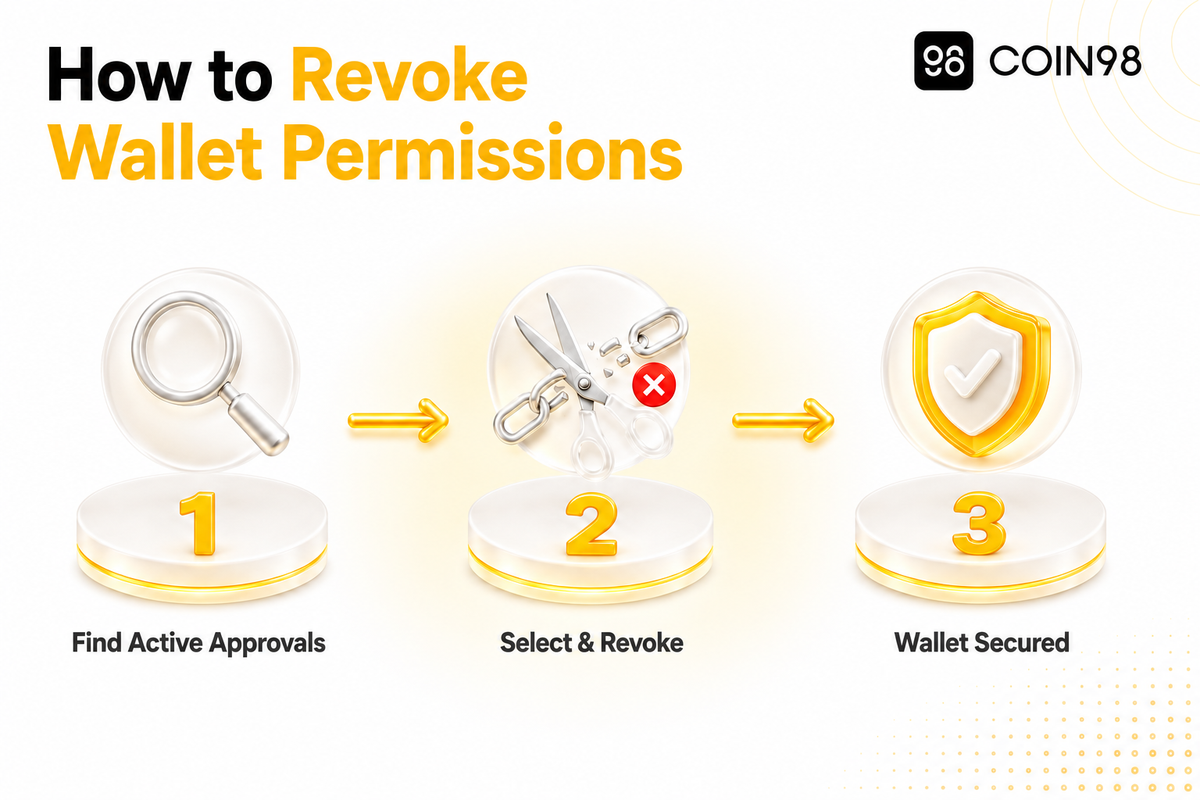
- Open Coin98 Super Wallet, access the Wallet Approval section
- Select the blockchain and wallet you want to audit
- Tap the [x] next to any contract permission you want to remove
- Tap Confirm — the revocation processes on-chain within seconds
What you need: A small amount of the chain's native token to cover the gas fee for each revocation transaction.
Using the Coin98 Wallet Approval tool keeps you within the Coin98 app environment rather than navigating to an external URL — which reduces exposure to phishing sites that mimic approval management tools.
Method 2: Revoke.cash (Multi-chain, Standalone)
Revoke.cash is the most widely used standalone approval management tool in the ecosystem. It supports over 100 networks — including Ethereum, Polygon, BNB Smart Chain, Arbitrum, Optimism, and many others — and works with any Web3 wallet.
How to use:
- Visit revoke.cash and enter your wallet address or ENS name, or connect your wallet directly
- Select the network to review
- Browse your active approvals — the tool shows the spender address, token, and approved amount
- Click Revoke next to any approval you want to remove; confirm in your wallet
Useful features:
- Sort by "Newest to Oldest" — Revoke.cash recommends this if you suspect a recent malicious approval, so the most recent permissions surface first
- Edit rather than revoke — click the pencil icon to reduce an approval amount instead of removing it entirely; useful when you still need the approval but want to cap the risk
- Covers both ERC-20 token approvals and NFT approvals (ERC-721 / ERC-1155)
Method 3: Etherscan Token Approval Checker (Ethereum Mainnet)
Etherscan's built-in tool is useful for Ethereum mainnet audits — no external tool required.
How to use:
- Go to etherscan.io and navigate to More → Token Approvals
- Enter your wallet address
- Connect your Web3 wallet to enable revocation
- Review the list — Etherscan shows the contract address, approved token, and the "at risk" amount (what could be taken if that contract were compromised)
- Click Revoke per contract; confirm in your wallet
Etherscan covers ERC-20 and NFT approvals on Ethereum mainnet. For other chains, use Revoke.cash or the Coin98 Wallet Approval tool instead.
Comparison: Which Tool to Use
| Tool | Networks | Access | Best for |
|---|---|---|---|
| Coin98 Wallet Approval | Multiple chains | In-app (Coin98 Super Wallet mobile) | Coin98 users — no external site needed |
| Revoke.cash | 100+ networks | revoke.cash (connect wallet) | Multi-chain audit, most comprehensive |
| Etherscan Token Approvals | Ethereum mainnet only | etherscan.io | Quick Ethereum-only check |
When to Revoke: A Three-Tier Schedule
Not every user needs to audit at the same frequency. A practical framework based on activity level:
| Usage profile | Recommended frequency | Key trigger |
|---|---|---|
| Active DeFi user (weekly interactions) | Monthly | Routine hygiene |
| Occasional user (monthly interactions) | Quarterly | After using a new dApp |
| Any user | Immediately | After a phishing attempt, protocol exploit, or suspicious transaction |
The "immediately" trigger matters most: if a protocol you've approved is compromised, every second counts. Revoke first, investigate second.
Don't Forget NFT Approvals
ERC-20 token approvals get most of the attention, but NFT approvals carry the same risk. When you list an NFT on a marketplace, you typically sign a SetApprovalForAll grant — authorizing that marketplace's contract to transfer any NFT in the collection on your behalf.
That approval stays active after a sale. When NFT Trader was exploited, over $3 million was stolen from users who still had outstanding SetApprovalForAll grants on contracts they had long since stopped using, according to Ledger Academy.
Both Revoke.cash and Etherscan's Token Approval Checker cover NFT approvals alongside ERC-20 ones. The Coin98 Wallet Approval tool also handles multi-asset approvals across its supported chains.
FAQ
How often should I revoke token approvals?
Monthly is a reasonable cadence for active DeFi users. Quarterly works for occasional users. The most important trigger is "immediately" — if you've connected to an unfamiliar protocol, experienced a suspicious transaction, or heard about an exploit affecting a contract you've approved, don't wait.
Does revoking an approval cost money?
Yes — revoking is an on-chain transaction and requires a gas fee in the chain's native token. On Ethereum mainnet this ranges from a few cents to a few dollars depending on network conditions. On Layer 2 networks (Arbitrum, Optimism, Polygon), gas is typically much lower.
What if I still use the dApp?
You can reduce the approval amount instead of revoking it entirely. On Revoke.cash, the pencil icon lets you edit the amount — enough for your next transaction rather than an indefinite blank check. This maintains access while capping the risk.
Are there approvals on every chain?
Yes — each chain maintains its own approval records. A Polygon approval doesn't show up in an Ethereum audit. You'll need to review each network separately. Revoke.cash simplifies this by supporting 100+ networks from one interface.
Conclusion
Revoking token approvals is one of the lowest-effort, highest-impact security habits available to a DeFi user. The tools are free, the process takes a few minutes per chain, and the risk it removes — standing access from contracts you may not remember or trust — is real. We'd suggest setting a monthly calendar reminder if you're an active user, and checking immediately after connecting to any new protocol. The Coin98 Wallet Approval tool makes this easy to do without leaving the app.