Malicious Browser Extensions: How a Single Install Can Drain Your Crypto Wallet
One malicious browser extension can drain your crypto wallet in seconds. Here's how the attacks work — and how to stay safe.
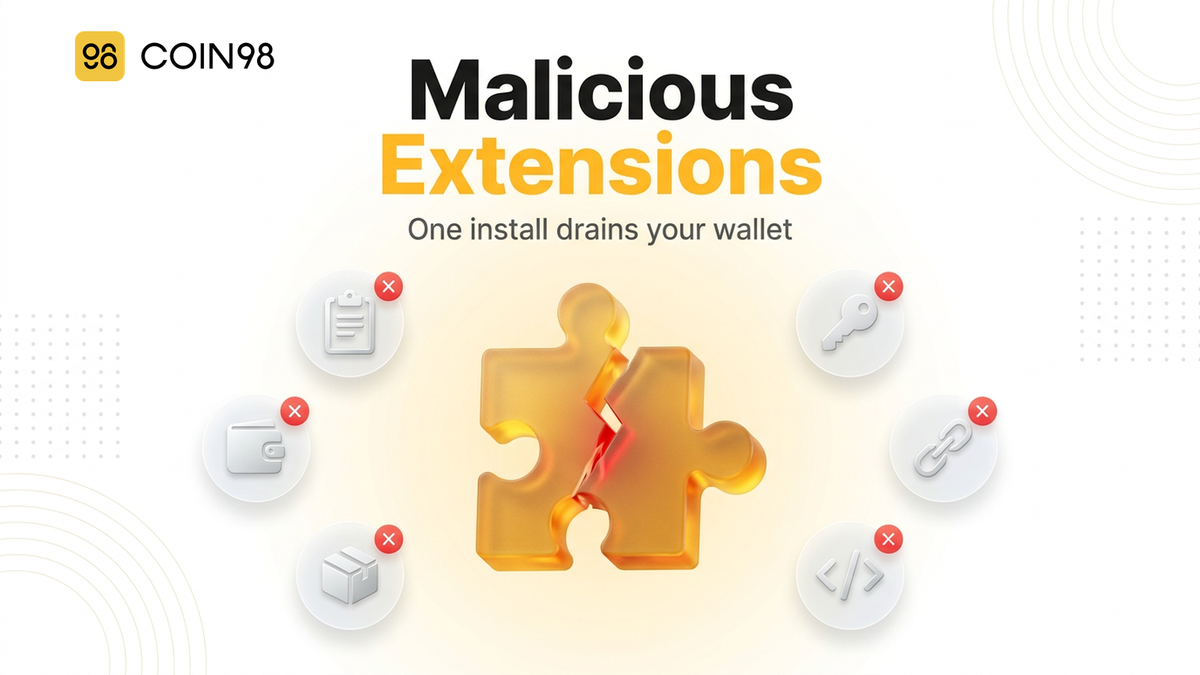
Browser extensions feel harmless — small tools that add a feature, speed something up, or let you manage tokens without leaving your tab. But a growing wave of malicious browser extension crypto attacks is turning that convenience into one of the biggest threats to your digital assets. Researchers documented over 40 fake Firefox extensions impersonating wallets in a single campaign, and $713 million was lost to personal wallet compromises in 2025 alone. Understanding how these attacks work — and what you can do about them — is now a core part of staying safe onchain.
How Malicious Browser Extensions Actually Steal Your Crypto
Malicious browser extensions steal crypto through several overlapping techniques, often combining multiple methods in a single attack. The most common approaches involve seed phrase harvesting, clipboard hijacking, and supply-chain poisoning.
Seed phrase harvesting is the most direct attack. A fake extension impersonates a legitimate wallet — MetaMask, Phantom, Coinbase Wallet — and presents a convincing setup screen asking you to enter your recovery phrase. The moment you type it, the extension sends those words to an attacker's server. In a 2026 campaign tracked by security researchers, 77 linked Firefox extensions were discovered operating this way, targeting wallets including Trust Wallet, OKX, Keplr, and Exodus.
Clipboard hijacking is subtler and more dangerous because it doesn't require you to make any mistake at all. An extension with clipboard-read and clipboard-write permissions monitors what you copy. When it detects a wallet address format, it silently swaps it for the attacker's address. You paste what you think is your recipient's address, confirm the transaction, and the funds go somewhere else entirely — irreversibly.
Supply-chain attacks are perhaps the most alarming because they can compromise extensions you've trusted for years. Attackers buy established, legitimate extensions from their original developers, then push a malicious update. Because you've already installed the extension and auto-updates are on by default, the malicious version deploys to your browser silently. A December 2025 supply-chain attack on a popular wallet extension drained approximately $7 million from hundreds of accounts. Users had done everything right — the attack came through the update mechanism itself.
If you're already thinking about how browser-based threats fit into the larger landscape of software that can compromise your funds, our article on five patterns that crypto malware uses to drain wallets covers the broader category including infostealers, fake installers, and compromised packages.
The Permission System That Makes This All Possible
Extensions work because browsers grant them powerful access to what you do. When you click "Add to Chrome" and accept the permissions, you may be granting that extension the ability to read and modify content on every website you visit, access your clipboard, intercept network requests, and read data stored by other extensions.
That last point matters especially for wallet users. Extensions like MetaMask store some session data locally. A malicious extension with broad permissions can iterate through that stored data, and if you've recently unlocked your wallet and entered your password, a compromised extension can use that moment to decrypt and exfiltrate your stored recovery phrase.
The permissions that should raise the most concern when installing anything crypto-adjacent are:
- "Read and change all your data on websites you visit" — this is the broadest possible site access, and most wallet tools don't need it
- clipboardRead / clipboardWrite — legitimate wallets sometimes need this, but it's also the core permission for address-swap attacks
- Broad storage access — allows reading data other extensions have stored
The practical takeaway: fewer installed extensions means a smaller attack surface. Security researchers broadly suggest keeping your total active extensions under five to seven, particularly in a browser where you hold crypto.
Warning Signs You May Have Installed a Malicious Extension
Catching a malicious browser extension crypto attack before it completes isn't always possible, but there are signs worth watching for.
The first warning sign is an unexpected request for your seed phrase. No legitimate wallet extension should ask for your recovery phrase after initial setup. If an extension prompts you to re-enter it — framed as a "security check," a "verification," or a "wallet sync" — that's a strong signal the extension is fake.
Other warning signs include:
- Transactions you didn't initiate appearing in your wallet history
- Recipient addresses that look slightly different from what you copied — always verify the full address before confirming, not just the first and last four characters
- Extension permissions that changed after an update — browsers notify you when this happens, and it's worth investigating
- An extension that appeared in your browser without you installing it — some device-level malware installs extensions silently via developer mode
If you notice any of these, the recommended response is to immediately stop using that browser for crypto, transfer your assets to a fresh wallet created on a different, clean device, and then remove the suspicious extension.
It's also worth noting that device-level threats and browser-layer threats often overlap. Malware already on your device can facilitate browser extension attacks, and vice versa. For attacks that don't require any user interaction at all, our article on zero-click exploits targeting mobile wallets explains how some attackers bypass even careful security habits entirely.
How to Reduce Your Risk from Malicious Browser Extensions
There's no single fix that eliminates the risk of malicious browser extension crypto attacks, but a few consistent habits significantly reduce your exposure.
Use a dedicated browser profile for crypto. Set up a separate profile in Chrome, Firefox, or Brave with zero general-purpose extensions — no ad blockers, no productivity tools, no reading apps. Install only the wallet extensions you actively use, sourced directly from the official wallet provider's website. This isolation means that even if one of your general extensions is compromised, it can't reach your wallet data.
Verify the source before installing. Before adding any wallet extension, go to the wallet's official website and follow their documented link to the browser store. Avoid searching for a wallet name and installing the first result — search results can surface fake extensions with similar names, logos, and descriptions. The number of users and reviews isn't a reliable safety signal; attackers acquire accounts with existing review histories.
Keep your extension count low. Each additional extension is another potential attack vector. Auditing your installed extensions once a month and removing anything you don't actively use is a simple habit worth building.
Audit versions after reported incidents. Auto-updates are good security practice in general, but supply-chain attacks exploit them. After any reported compromise of a wallet or productivity extension, manually check whether your installed version matches the version described as safe.
Consider a hardware wallet for significant holdings. Hardware wallets sign transactions on a separate device, meaning that even if a browser extension has full access to your browser environment, it can't approve transactions without your physical confirmation. This doesn't make browser extensions safe, but it substantially limits the blast radius.
Use our Super Wallet for a trusted, non-custodial option. The Coin98 Super Wallet browser extension is a non-custodial wallet available from our official store at chrome.coin98.com. Non-custodial means your keys stay with you — we don't hold them. We recommend always downloading from the official source and verifying the extension ID before trusting it. The wallet supports 150+ blockchains and includes built-in DEX access, so you can avoid stacking additional third-party extensions for trading.
If you use public networks for crypto activity — which we'd suggest avoiding — the attack surface expands further. Network-level risks compound browser-level ones, and our guide on the risks of using a crypto wallet on public Wi-Fi walks through what that exposure looks like and how to manage it.
FAQ
Can a malicious browser extension steal my crypto even if I don't click anything?
Yes. Extensions with clipboard permissions can hijack your wallet address the moment you paste it, without any additional interaction from you. Supply-chain attacks also deliver malicious code through automatic updates that require no action on your part — the 2025 Trust Wallet supply-chain incident drained roughly $7 million this way.
How do fake crypto wallet extensions end up in official browser stores?
Attackers submit extensions that initially appear legitimate — sometimes functional utility tools — and then update them with malicious code after the extension has accumulated installs and reviews. Others submit convincing imitations of real wallets under slightly altered names, relying on users not checking the publisher ID carefully.
What permissions are the biggest red flags for a crypto extension?
The most concerning combination is broad site access ("read and change all your data on websites you visit") paired with clipboardRead/clipboardWrite permissions. These two together allow an extension to monitor your behavior across all sites and swap wallet addresses. Legitimate wallets sometimes need clipboard access, but should rarely need unrestricted access to every website you visit.
What should I do immediately if I think I installed a malicious extension?
Stop using that browser for any crypto activity. On a clean, separate device, create a new wallet with a new seed phrase. Transfer your assets to that new wallet. Then remove the suspicious extension from the compromised browser and run a security scan on the device. Creating a fresh wallet is important — don't simply import the same seed phrase into a new app.
Does using a hardware wallet protect me from browser extension attacks?
A hardware wallet significantly limits the damage. It won't prevent an extension from attempting to swap your recipient address, but transaction signing happens on the hardware device — meaning you see the destination address on the device screen and must physically confirm it. Verifying the full address on-device before approving is the most reliable defense against address-swap attacks.
Is a mobile wallet safer than a browser extension for holding crypto?
They have different risk profiles. The browser extension is exposed to other installed extensions and browser-layer attacks; a mobile app doesn't share that environment. For everyday use, keeping the bulk of your holdings in the mobile wallet and using the browser extension only for specific transactions you've already verified is a reasonable approach. Either way, we recommend downloading only from official Coin98 channels.
Protect What You've Built
Malicious browser extension crypto attacks have matured from occasional incidents into a well-organized, persistent threat. The $713 million figure from 2025 — representing 158,000 personal wallet compromise incidents — reflects real users who lost real funds, many of them through a single installation they had no reason to distrust at the time.
The most effective defense is habit-based: keep extensions minimal, source them from verified official links, use a dedicated crypto browser profile, and pair your browser wallet with a hardware device for significant holdings. These steps don't eliminate risk, but they dramatically narrow the window attackers have to operate in.
If you use Coin98 Super Wallet, make sure you've installed it from the official link at chrome.coin98.com and check your extension list regularly. A clean, minimal setup is the strongest protection you can maintain.