Seed Phrase & Private Key: The Vital Keys to Your Web3 Assets
Master Web3 security. Learn the difference between seed phrases and private keys, how to avoid phishing scams, and why Coin98 Super Wallet is your safest bet.
Losing your entire crypto portfolio because of a misplaced piece of paper or a deceptive phishing link is the harshest reality check in Web3. If you do not control your keys, you do not actually own your coins. At Coin98, we see users getting their funds drained daily simply because they fundamentally misunderstand how a seed phrase and a private key operate.
Security in decentralized finance (DeFi) is an unforgiving landscape. There is no "forgot password" button and no customer support hotline to reverse a blockchain transaction. In this DeFi 101 guide, we are breaking down the absolute essentials of self-custody, analyzing how top wallets handle your security, and showing you how to bulletproof your digital wealth.
The Core Difference: Seed Phrase vs. Private Key
While often used interchangeably by beginners, these two elements serve different functions in the architecture of a non-custodial wallet.
The Private Key: Your Account PIN
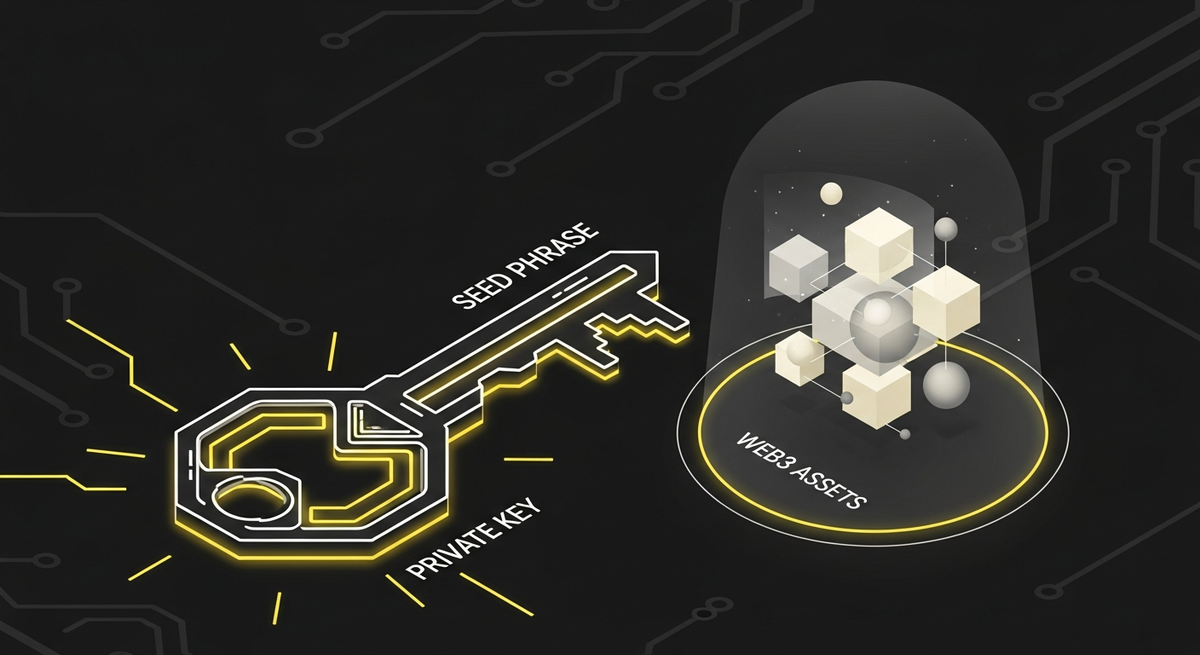
A private key is a complex alphanumeric string mathematically tied to a specific wallet address (the public key). Think of your public key as your bank account number, and the private key as the specific PIN required to authorize transactions from that exact account. Every single blockchain address has its own unique private key. If someone gets hold of it, they have total control over the assets in that specific address.
The Seed Phrase: The Master Key
A seed phrase (or recovery phrase) is typically a sequence of 12 to 24 standard words (based on the BIP-39 standard). It acts as the master cryptographic key that generates and controls multiple private keys across different networks. If the private key is the PIN to a single vault, the seed phrase is the master blueprint to the entire bank.
How Industry Giants Approach Security (And Where They Fall Short)
Education around key management has been a major focus for leading wallets like MetaMask, Phantom, and OKX Wallet. However, as builders in this space, we must look objectively at the friction points users still face.
- MetaMask: As the pioneer of EVM wallets, MetaMask has a massive educational repository. However, storing keys locally in a browser extension has historically made users prime targets for malware and phishing. Furthermore, managing non-EVM chains requires complex configurations or separate wallets, increasing the risk of exposing your keys across multiple interfaces.
- Phantom: Phantom offers a highly polished UI for the Solana ecosystem and has expanded to EVM. Yet, true multi-chain interoperability still feels fragmented. Users often find themselves exporting and importing private keys between Phantom and other wallets to access niche networks, multiplying their attack surface.
- OKX Wallet: OKX has heavily pushed MPC (Multi-Party Computation) technology, which splits the private key into shares to remove the single point of failure. While highly secure, it heavily ties the user into the centralized exchange's ecosystem, slightly muddying the waters of true, independent self-custody.
The Coin98 Super Wallet Solution: Uncompromising Security Meets Usability
We built the Coin98 Super Wallet with a clear mandate: maximum security without the UX nightmare. True self-custody should not require a computer science degree.
Our multi-chain engine is designed to eliminate the need for key-juggling. With a single seed phrase, you can instantly generate and manage wallets across over 120 blockchains—from Ethereum and Solana to Cosmos and specialized Layer 2s. You back up one master phrase, once, and you are secured across the entire Web3 ecosystem.
Beyond seamless multi-chain management, we have integrated advanced security layers directly into the app:
- Hardware Wallet Support: Connect your Ledger or Trezor directly to the Coin98 Super Wallet. You get our superior interface while your private keys never leave your physical device.
- Active Network Management: Only toggle on the blockchains you are actively using. This reduces clutter and minimizes the risk of interacting with malicious smart contracts on unfamiliar networks.
- Real-World Utility without Risk: Want to spend your crypto? Instead of connecting your main vault to sketchy merchants, you can isolate your spending funds by linking a dedicated sub-wallet to the Fusion Card. This ensures your primary seed phrase remains completely untouched while you enjoy real-world liquidity.
Battle-Tested Rules for Safe Storage & Scam Prevention
No matter how secure the wallet architecture is, human error remains the biggest vulnerability. Protect your seed phrase by adhering to these non-negotiable rules:
1. Never Digitize Your Seed Phrase
Do not take a screenshot. Do not save it in your Apple Notes, Google Drive, or a password manager. If your device is compromised, cloud-stored phrases are the first things hackers scrape. Write it down on a physical piece of paper or engrave it on a metal backup plate, and store it in a fireproof safe.
2. Beware of Phishing and Fake DApps
Scammers will create pixel-perfect replicas of popular decentralized applications (DApps) or NFT minting sites. When you connect your wallet, they will prompt you to sign a transaction that looks like a standard login but is actually granting them infinite approval to drain your tokens. Always verify the URL. Coin98 Super Wallet includes built-in DApp browsing safeguards, but your vigilance is the ultimate firewall.
3. The "Customer Support" Trap
No legitimate Web3 builder, including the Coin98 team, will ever ask for your seed phrase or private key. If someone on Telegram, Discord, or X (Twitter) offers to "validate your wallet" or "fix your node" by sending you a link to input your 12 words, it is a scam. Period.
4. Manage Slippage and Revoke Approvals
Security isn't just about hiding your keys; it is about managing your smart contract interactions. High slippage on sketchy DEXs can drain your funds via MEV bots. More importantly, regularly use token approval revocation tools to disconnect your wallet from DApps you no longer use.
Take Control of Your Web3 Journey
Your seed phrase and private keys are the literal keys to your financial sovereignty. Treat them with the respect they demand. By understanding the mechanics of self-custody and avoiding common digital pitfalls, you insulate yourself from 99% of the attacks in the crypto space.
Ready to experience true ownership with enterprise-grade security and a seamless multi-chain interface? Download the Coin98 Super Wallet today, back up your master key offline, and start exploring the decentralized world with absolute confidence.
Frequently Asked Questions (FAQ)
What is the main difference between a seed phrase and a private key?
A private key controls a single wallet address, acting like a PIN for that specific account. A seed phrase is a master key (typically 12-24 words) that generates and controls multiple private keys across various blockchain networks, effectively granting access to your entire crypto portfolio.
Why are seed phrases and private keys so crucial for Web3 assets?
These are the vital keys to your self-custodied digital wealth. Without them, you don't truly own your crypto, and losing them means irreversible loss of funds. Unlike traditional banking, there's no recovery option or customer support for blockchain transactions.
What happens if I lose my private key or seed phrase?
Losing either means permanent loss of access to the associated cryptocurrency assets. There are no "forgot password" options or customer service to help recover funds on a blockchain. It's essential to back them up securely and keep them confidential.
How should I secure my seed phrase and private keys?
Store them offline, away from internet-connected devices. Avoid digital copies. Consider writing them down and keeping them in a secure physical location (e.g., a safe). Never share them with anyone or input them into unverified websites.