How to Store Crypto Safely: A Practical Step-by-Step Guide
Over $3.4B in crypto was stolen in 2025. A practical, step-by-step guide to storing crypto safely: choose, back up, and lock it down.
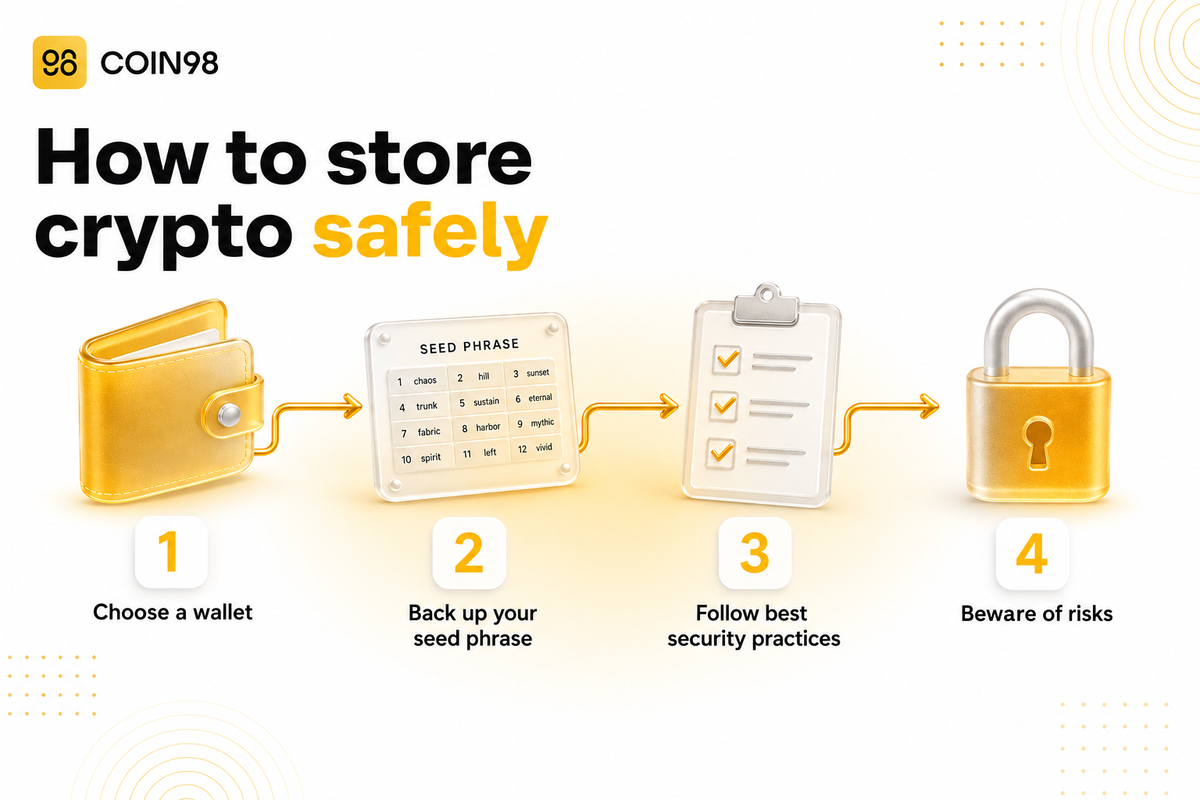
Learning how to store crypto safely comes down to a handful of concrete actions you can do today: pick the right wallet for your situation, back up your recovery phrase offline, and check every transaction before you sign it. This matters because attackers are aiming at ordinary users more than ever. According to Chainalysis, over $3.4 billion in crypto was stolen in 2025, and personal wallet compromises reached roughly 158,000 incidents affecting about 80,000 victims. This guide skips the theory and walks you through exactly what to do.
We built this as a do-this-now playbook. You'll find a decision table to choose your storage method, numbered setup steps, a backup checklist, and a clear plan for what to do if something goes wrong.
Step 1: Choose your storage method (decision table)
Start by matching a storage method to how you actually use crypto, not to what sounds most hardcore. There are three broad options: custodial (an exchange holds your keys), a hot wallet (a self-custody app connected to the internet), and cold storage (keys kept offline). Each suits a different situation.
| Your situation | Suggested method | Why it fits |
|---|---|---|
| Brand new, small amount, still learning | Custodial exchange or a hot wallet | Easy recovery, low stakes while you learn |
| Active trader / DeFi user, moderate balance | Hot self-custody wallet | You control keys; fast access for swaps and dApps |
| Long-term holder, larger balance | Cold storage (hardware/offline) | Keys stay offline, away from internet threats |
| Mixed use | Two wallets: a small "spending" hot wallet + a cold "savings" wallet | Limits what's exposed at any moment |
A widely shared rule of thumb from Trust Wallet's storage guide is to keep only trading-sized amounts in a hot wallet and move the rest to colder storage. A practical split many users adopt: treat a hot wallet like the cash in your pocket and cold storage like a savings account.
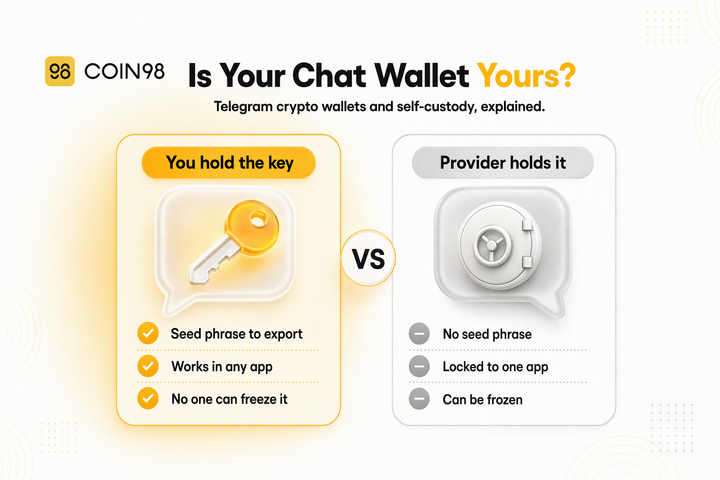
The Coin98 Super Wallet is a non-custodial hot wallet, meaning you hold your own keys across the chains it supports. According to Coin98's 2026 wallet protection guide, it covers 100+ blockchains in a single app, which keeps you from juggling several wallets when you hold assets on different networks.
Step 2: Set up a self-custody wallet the right way
Setting up safely is a short, ordered process. Doing these in order matters because the riskiest moment is right after creation, when your recovery phrase is freshly exposed.
- Download from the official source. Get the app from the official website, Apple App Store, or Google Play. Fake wallet apps are a common trap, so it's worth double-checking the developer name before installing.
- Create a new wallet and let the app generate your recovery phrase.
- Write the recovery phrase down on paper, offline (more on backups in Step 3). We suggest doing this away from cameras and screens.
- Turn on an app-level PIN and biometrics. Coin98's guide recommends a separate app PIN of at least 6 digits plus Face ID or fingerprint, so the wallet stays locked even if your phone is unlocked.
- Send a small test transaction first. Before moving a large balance off an exchange, send a tiny amount, confirm it arrives, then send the rest. This catches address mistakes cheaply.
- Verify the receiving address. After pasting any address, check that the first and last 4 characters match — this defends against clipboard-hijacking malware that swaps in an attacker's address.
If you're moving funds off an exchange, complete steps 1–4 first, then withdraw a test amount in step 5 before the full transfer.
Step 3: Back up your seed phrase (checklist)
Your seed phrase (also called a recovery phrase) is the master key to your crypto — anyone who has it can move your funds, and losing it can mean losing access for good. So this is the single most important thing to get right. A seed phrase is the 12–24 words your wallet shows you at setup; a private key is the underlying credential for a single account. Either one grants control, so both deserve offline handling.
Use this checklist when you back up:
- Write all 12–24 words by hand, in the correct order, on paper.
- Consider a metal backup plate if you're holding larger amounts — metal survives fire and water that would destroy paper. Many guides suggest considering it once a balance passes a few thousand dollars.
- Keep at least two copies in two separate physical locations (for example, a home safe and a second secure spot).
- We recommend keeping it offline. Screenshots, cloud notes, email, and chat apps are all reachable by attackers, so it's safer to avoid storing the phrase there.
- Remember that no legitimate support team or wallet provider will ask for your seed phrase — any such request is a scam.
- Set a reminder to check your backups are intact and readable a couple of times a year.
- Consider an inheritance plan so a trusted person can access funds if needed.
For a managed safety net alongside your offline copy, Coin98 Cloud Backup syncs your wallet data to your own iCloud or Google Drive behind a password you set. Per the docs, Coin98 does not store your data, and the backup password cannot be recovered by Coin98 — so we strongly recommend storing that password as carefully as the phrase itself.
Step 4: Handle crypto safely day to day
Most individual losses come from everyday actions, not exotic hacks — so safe daily habits are where the protection actually happens. Chainalysis notes the share of stolen value coming from personal wallets jumped from 7.3% in 2022 to 44% in 2024, with attackers "targeting more users, but stealing smaller amounts per victim." The fixes are routine.
- Review transaction details before signing. Read what a dApp is actually asking for. Coin98's guide highlights a built-in transaction preview so you can see the outcome before you confirm.
- Manage your token approvals. When you use DeFi, you grant smart contracts permission to spend your tokens, and old or unlimited approvals are a common drain vector. Coin98 Wallet Approval lets you review and revoke those allowances across chains; reviewing them periodically is a good habit.
- Disconnect from dApps when you're done, and keep the wallet app updated.
- Slow down on urgency. Phishing relies on pressure — "act now," "verify your wallet," "claim before it's gone." Treating unsolicited links, QR codes, and DMs with suspicion stops most of these.
Step 5: Know what to do if your wallet is compromised
If you suspect your wallet is compromised, the priority is moving any remaining funds to a brand-new, clean wallet — fast but carefully. Coin98's official what-to-do-when-hacked guide lays out a clear order:
- Switch to a different device if you think the current one is the source of the compromise.
- Create a new multichain wallet and store its seed phrase securely.
- Move remaining funds to the new wallet. If you suspect an automated "sweeper" script is draining the wallet, the docs advise against sending extra tokens in just to cover gas.
- Stop using the old wallet entirely — avoid reconnecting it to dApps or signing anything with it.
- Find the root cause (malware, phishing, a shared seed phrase, or a malicious approval) and close that gap before storing assets again.
A hard truth worth stating plainly: on-chain transactions are generally irreversible, so already-stolen funds usually cannot be clawed back. That's exactly why the earlier steps carry the weight.
If your problem is a lost rather than stolen phrase, the Coin98 Seed Phrase Recovery Tool can help when you're missing the last two words of a 12-, 15-, 18-, 21-, or 24-word phrase, provided you know your blockchain network and wallet address.
Storage methods at a glance
| Method | Best for | Trade-off |
|---|---|---|
| Custodial exchange | Beginners, easy recovery | You don't hold the keys; platform risk |
| Hot self-custody wallet | Daily use, DeFi, swaps | Online, so handle phishing carefully |
| Cold storage | Long-term, larger holdings | Less convenient for frequent access |
Per Yahoo Finance's overview, hardware (cold) devices typically run $60–$250, while a self-custody app like Coin98 is free — which is why many people pair a free hot wallet for daily activity with cold storage for savings.
FAQ
What's the safest way to store crypto for a beginner? For small amounts while learning, a reputable custodial exchange or a self-custody hot wallet with a PIN and biometrics is reasonable. As your balance grows, we suggest moving longer-term holdings to cold storage and keeping only spending money in a hot wallet.
Is it safe to store my seed phrase in the cloud or a screenshot? We'd recommend against plain digital copies like screenshots, notes, or email, since those are reachable by attackers. An offline handwritten or metal backup is safer. Encrypted backup tools that you control, such as Coin98 Cloud Backup, are a managed alternative that keeps the data behind a password only you hold.
Hot wallet vs cold wallet — which do I need? A hot wallet is internet-connected and convenient for trading and DeFi; a cold wallet keeps keys offline for stronger protection of long-term holdings. Many users run both: a small hot wallet for daily use and cold storage for savings.
Will anyone legitimately ask for my seed phrase? No. No genuine wallet provider, exchange, or support agent needs your seed phrase. Any request for it — by email, chat, call, or website — is a scam.
What should I do first if I think I've been hacked? Move remaining funds to a new wallet on a clean device, then stop using the old one. After that, identify the root cause so it doesn't happen again.
Conclusion
Storing crypto safely isn't about one perfect device — it's about a repeatable routine: choose storage that fits your balance, back up your phrase offline, verify before you sign, and act fast if something looks wrong. With self-custody, that responsibility sits with you, which is also why the right tools matter. Explore the Coin98 Super Wallet for a non-custodial home base with built-in backup, approval management, and recovery tools across 100+ chains.
Last updated: June 2026