What is an RPC Node? Fix Wallet Lag & Add Custom Networks
Tired of wallet lag and balance errors? Learn what an RPC network is, why manual 'add network' is obsolete, and how Coin98 Super Wallet fixes it automatically.
Why Your Crypto Wallet is Lagging (It's Probably the RPC)
If you've ever stared at a 'pending' transaction for what feels like an eternity, or worse, seen your balance incorrectly display as zero, you've likely encountered a common Web3 bottleneck: a congested RPC Node. This isn't just a minor inconvenience; in the fast-paced world of DeFi, lag can lead to missed opportunities and significant slippage.
Many users blame the wallet app or the blockchain itself, but the real culprit is often this invisible middleman. Understanding how it works is the first step to reclaiming a smooth, reliable crypto experience.
So, What Exactly is an RPC Node?
Think of the blockchain as a massive, decentralized library of records. Your non-custodial wallet, like the Coin98 Super Wallet, is your personal library card, giving you access. But you can't just shout your request into the library; you need a librarian to fetch the information or submit a new entry for you.
An RPC (Remote Procedure Call) Node is that librarian.
- When you want to check your balance, your wallet sends a request via an RPC node to query the blockchain.
- When you want to send a transaction, your wallet packages the data and sends it to the RPC node to be broadcast to the network.
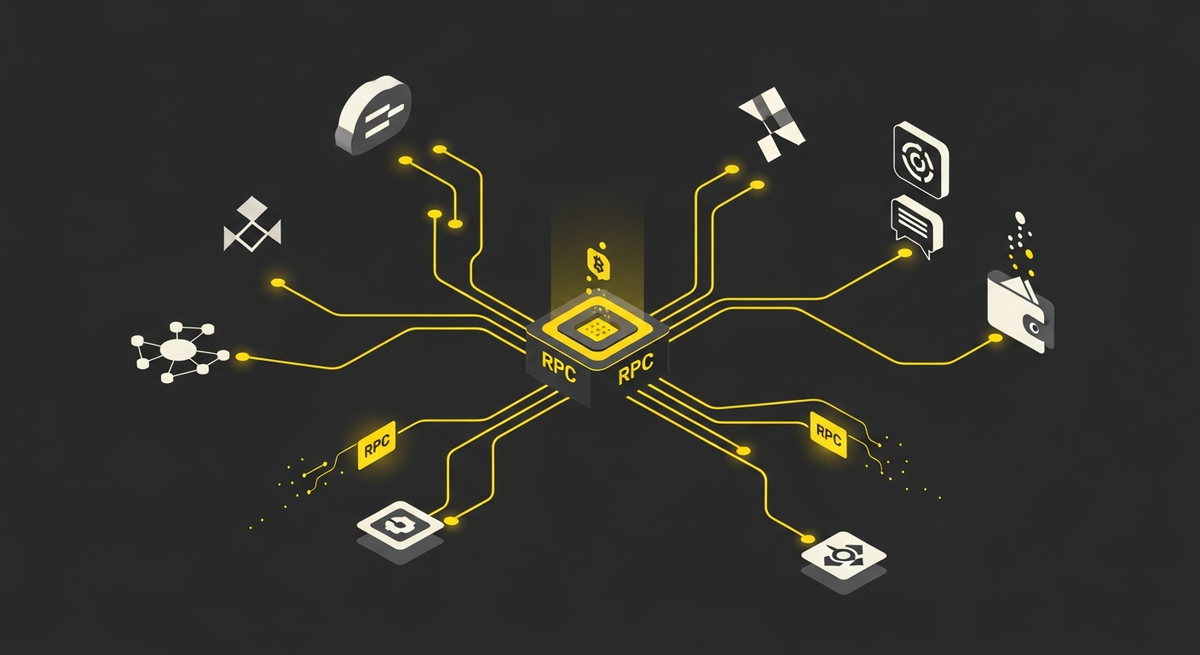
Essentially, the RPC node is the communication bridge between your wallet and the blockchain. Without it, your wallet is isolated and cannot interact with the decentralized world.
The Problem with Public RPCs: The Crowded Librarian
Most wallets, including standard configurations of MetaMask, connect to public RPC nodes by default. These are free-to-use servers provided for the community. While great for accessibility, they have a major drawback: they serve everyone.
Imagine one librarian trying to handle requests from thousands of people at once during peak hours (like a new token launch or NFT mint). The service becomes incredibly slow. This is why you experience:
- Lagging transactions: Your request is stuck in a long queue.
- Incorrect balance display: The query to fetch your balance data times out or fails.
- DApp connection errors: The application can't get the data it needs from the blockchain fast enough.
The Old Fix: Manually Adding a Custom RPC
For years, the go-to solution for power users was to manually add a custom RPC. This involves finding a third-party RPC provider (like Infura or Alchemy), getting a unique URL, and then navigating through your wallet's settings to input a long list of details:
The Manual Process (The Hard Way)
1. Find a reliable RPC provider's website.
2. Search for the correct network (e.g., Arbitrum, Polygon).
3. Copy the 'New RPC URL'.
4. Copy the 'Chain ID'.
5. Find and copy the 'Currency Symbol'.
6. Find and copy the 'Block Explorer URL'.
7. Go to your wallet's settings, find 'Add Network', and paste everything in perfectly.
This process is not only tedious but also carries risks. Using an unknown or malicious RPC node could potentially compromise your privacy by logging your IP address and wallet activity. For new users, it's an intimidating barrier. For experienced users, it's a constant, frustrating chore.
The Coin98 Solution: Intelligent, Automatic RPC Management
We believe that managing infrastructure should be our job, not yours. The Coin98 Super Wallet was built from the ground up to eliminate this exact pain point. You don't need to manually add network to wallet or hunt for custom RPCs.
How We Make It Seamless:
1. Multi-Network by Default: Coin98 supports over 90 blockchains out of the box. The moment you create or import a wallet, you're already connected to a vast ecosystem. There's no 'add network' button for major chains because they're already there, optimized and ready to go.
2. Automatic RPC Failover: We maintain a system of multiple, reliable RPC nodes for each supported chain. If the default node becomes slow or unresponsive, the Coin98 Super Wallet automatically and instantly switches to a faster one in the background. You won't even notice it happened; your transactions will simply go through smoothly.
3. Enhanced Performance for Traders: This automatic switching is critical when you're using the integrated Coin98 Exchange. When every second counts to catch the right price, our wallet ensures your connection to the blockchain is always optimal, minimizing failed transactions and costly slippage.
Comparison with Other Wallets
While wallets like MetaMask have improved with services like Chainlist, the core experience often still requires manual intervention and an understanding of RPCs. Phantom, while excellent for Solana, offers a limited multi-chain experience compared to our native integration of EVM, SVM, and other ecosystems. OKX Wallet is a strong competitor, but Coin98's focus on a fully automated and user-friendly infrastructure layer gives users one less thing to worry about.
Our philosophy is simple: you should focus on exploring Web3, not troubleshooting network connections. This seamless experience extends across our entire ecosystem, from your universal Web3 identity with OneID to future innovations like the Fusion Card that bridge your on-chain assets with the real world.
Conclusion: Stop Wrestling with Settings, Start Exploring
The days of manually copying and pasting RPC details should be a thing of the past. A modern Web3 wallet must be intelligent enough to manage network connections for you, ensuring security, speed, and reliability.
Stop letting a slow RPC node dictate your crypto journey. Experience the difference of a wallet that just works, allowing you to navigate the multi-chain landscape with confidence and ease.
Ready for a lag-free, truly multi-chain experience? Download the Coin98 Super Wallet today and leave the RPC headaches behind.
Frequently Asked Questions (FAQ)
What is an RPC Node?
An RPC (Remote Procedure Call) Node acts as a communication bridge between your crypto wallet and the blockchain. It processes requests from your wallet to query information (like balances) or submit transactions to the decentralized network, enabling interaction with Web3.
Why does my crypto wallet experience lag or incorrect balances?
Wallet lag, pending transactions, or incorrect balances often stem from congested RPC Nodes. When your wallet uses a public RPC, it can get overloaded, especially during peak network activity, leading to slow communication and failed data retrieval from the blockchain.
What are the issues with using public RPC nodes?
Public RPC nodes are free but often become severely congested due to high demand, especially during busy periods like new token launches. This overload causes slow transaction processing, delays in displaying correct balances, and DApp connection errors, diminishing your overall Web3 experience.
How can I improve my wallet's performance and fix lag?
To fix wallet lag, you can switch from a congested public RPC node to a custom RPC. Custom RPCs often offer better performance and reliability by providing dedicated resources or better infrastructure, ensuring faster transaction processing and more accurate data display.