How Coin98's Wallet Health Scan makes your wallet safer
Most drained wallets aren't hacked — they're exploited through old approvals. See how Coin98 Wallet Health scans, scores, and fixes yours.
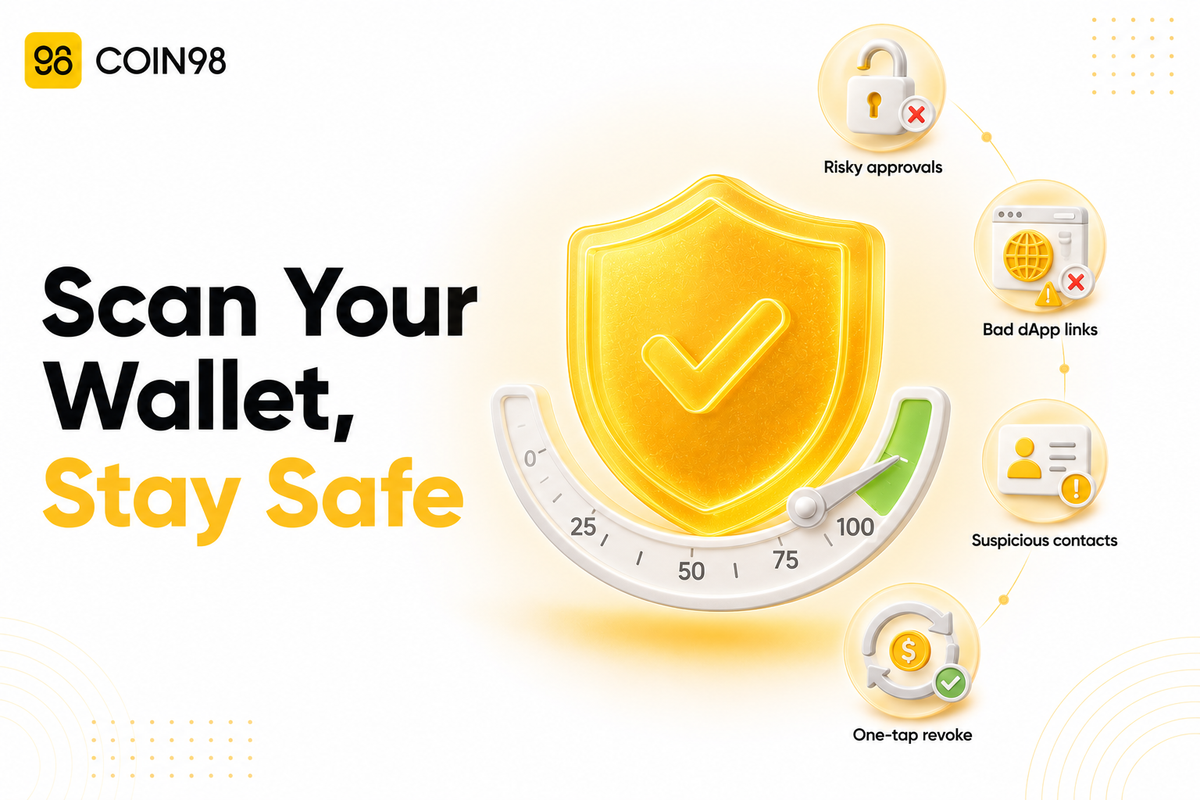
The most common way people lose crypto isn't a stolen seed phrase — it's a permission they signed months ago and forgot about. In the first half of 2025, roughly $1.93 billion was drained from wallets through malicious approvals and signatures, according to PhishDestroy, and 59% of all crypto losses that period came from access-control failures rather than broken cryptography, per our own threat analysis. Our Wallet Health feature exists to close that exact gap: it scans your wallet, scores it from 0 to 100, and lets you revoke the risky permissions that drainers rely on. This guide explains what it checks, how to run it, and how to read your score.
Why a "safe" wallet can still be drained
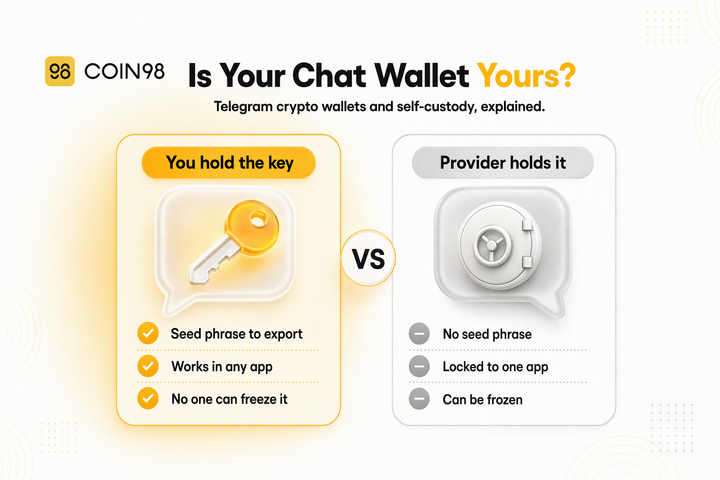
A wallet can be drained even if your seed phrase is completely private, because the danger is often a token approval you already granted. A token approval is a permission you give a smart contract to access and move specific tokens in your wallet — necessary for using most DeFi apps, but dangerous when left open.
The catch, as our documentation spells out, is that "dApp and token approvals do not expire automatically." Even after you stop using a platform, its access to your tokens can stay active on-chain indefinitely. If that dApp is later compromised — or the approval was malicious to begin with — an attacker can move your funds without ever touching your seed phrase.
This is how modern "wallet drainers" work. Trust Wallet describes them as tools that trick users into signing an approval, then use that permission to move assets automatically. A single bad signature can be catastrophic: one trader lost roughly $1 million after signing a fraudulent Uniswap Permit2 message, according to Crypto Briefing. Keeping approvals cleaned up is the single highest-leverage habit for wallet safety, and it's exactly what Wallet Health automates.
What is Coin98 Wallet Health?
Coin98 Wallet Health is a built-in security and asset-optimization tool inside Coin98 Super Wallet that consolidates risk detection, monitoring, and cleanup into one dashboard. Instead of hopping between separate approval checkers and revoke tools, you run one scan and act on the results in the same app.
According to our documentation, the scan looks across eight categories and flags three primary threat types:
- Unrevoked approvals — token and NFT permissions still active on-chain, including ones from dApps you no longer use.
- Risky dApp connections — links to phishing or fraudulent sites that can leave hidden vulnerabilities even after the tab is closed.
- Suspicious contacts — saved addresses that raise the odds of a scam or a mistaken transfer.
Critically, the scan is a read-and-recommend tool: it inspects on-chain permission data and your wallet settings. It does not need your private key or seed phrase to run, and revoking is done by you signing a normal on-chain transaction — we never take custody of your funds.
What the scan checks
Wallet Health runs across eight categories, each covering a different corner of your on-chain exposure. Reviewing them together gives a fuller picture than an approval-only checker.
| Category | What it checks |
|---|---|
| Wallets | All wallets on the device (number covered depends on plan) |
| Contacts | Saved contact addresses |
| Connections | Active dApp integrations |
| Interacted URL | Sites opened in-browser but not formally connected |
| Favorite dApps | Bookmarked applications |
| Favorite Tokens | Bookmarked market tokens |
| Approval | Token and NFT permissions across your wallets |
| Cloud Backup | Whether your wallet backup is in place |
The Approval category is the security core. It surfaces every active permission a contract holds over your tokens or NFTs and offers a one-tap way to cancel the risky ones. The Cloud Backup check adds a recovery angle most approval scanners ignore — a reminder that "safe" means both not drainable and recoverable.
How to run a Wallet Health Scan
Running a scan takes four steps, per our documentation:
- Open Wallet Health. Find it on the home screen or in the sidebar — first-time users see a "Protect Now" banner.
- Tap "Scan Now." Stay on the screen while it works through the eight categories.
- Review your Health Score and the flagged list. Risks are grouped by category so you can see what needs attention.
- Resolve the flagged items. Select a risk, review the detail, and take the recommended action — most importantly, "Revoke risky token/NFT approvals."
One thing to expect: each revoke is an on-chain transaction, so it requires a small gas fee on the relevant network. Revoking does not touch your token balances — it only cancels a contract's permission to move them, so your assets stay put while the open door gets closed. We'd suggest running a scan whenever you finish using a new dApp, and at least periodically as a routine.
Understanding your Health Score
Wallet Health condenses everything into a single score from 0 to 100, so you get a plain read on where you stand without interpreting raw approval data yourself. The bands are:
| Score | Status | What it means |
|---|---|---|
| 🔴 0–30 | High risk | Resolve immediately — active exposure likely |
| 🟠 31–90 | Medium risk | Worth reviewing and cleaning up |
| 🟢 91–100 | Good standing | Low exposure; keep it up with periodic scans |
A high score is a snapshot, not a permanent state. Every new approval you sign can lower it again, which is why the score is most useful when you re-check it after interacting with new apps rather than treating one green result as permanent safety.
Free, Pro, and Ultra: what changes
Wallet Health is available across our plan tiers, but the resolution and automation features scale up. The scan and score are the entry point; hands-off protection sits in the higher tiers.
| Feature | Free | Pro | Ultra |
|---|---|---|---|
| Risk resolution (revoke in-app) | — | ✅ | ✅ |
| Blockchains scanned | 5 | 10 | 10 |
| Auto-scan | — | — | ✅ 24/7 |
The standout upgrade is Ultra's 24/7 auto-scan, which monitors continuously instead of waiting for you to remember. For active DeFi users signing approvals across many chains, continuous monitoring closes the window between a risky approval and the moment you'd otherwise notice it.
Beyond the scan: habits that keep the score green
A scan is powerful, but wallet safety is ultimately a set of habits — the tool works best alongside a few basics. Ledger Academy and our own security guidance point to the same fundamentals:
- Revoke approvals you no longer need, rather than leaving them open "just in case."
- Prefer limited approvals over unlimited where an app offers the choice.
- Verify every signature request — approval phishing works by making a malicious request look routine.
- Keep your seed phrase offline and never enter it into any website.
- Disconnect from dApps when you're done, and clear stale browser sessions.
Wallet Health handles the detection-and-cleanup half of this automatically; the signing discipline is the part that stays with you.
FAQ
Does Coin98 Wallet Health need my seed phrase or private key to scan? No. The scan reads on-chain permission data and your wallet settings — it never asks for your seed phrase or private key. Any revoke is a normal on-chain transaction you approve yourself, and we remain non-custodial throughout.
Will revoking an approval delete my tokens or lower my balance? No. Revoking only cancels a smart contract's permission to move a token — your balance is untouched. The only cost is a small gas fee for the on-chain revoke transaction on the relevant network.
Is Wallet Health free? The scan and Health Score are accessible across tiers, but in-app risk resolution (revoking) is a Pro and Ultra feature, and 24/7 auto-scan is Ultra-only. Free covers 5 blockchains; Pro and Ultra cover 10.
How is this different from Revoke.cash or an Etherscan approval checker? Those tools check approvals on one chain at a time and require you to connect elsewhere. Wallet Health consolidates approvals, dApp connections, suspicious contacts, and backup status into one in-app scan and score, then lets you resolve issues without leaving the wallet.
If my score is 100, am I completely safe? A 100 means low exposure at that moment, not permanent immunity. Every new approval you sign can reintroduce risk, so the score is most valuable when re-checked after using new apps — and paired with careful signing habits.
The bottom line
Most drained wallets aren't hacked — they're exploited through approvals the owner forgot they signed, a pattern behind billions in 2025 losses. Our Wallet Health turns that invisible risk into something you can see and fix: an eight-category scan, a 0–100 score, and one-tap revocation of the permissions drainers depend on, all without ever exposing your keys. Open Wallet Health in Coin98 Super Wallet to run your first scan and see where your wallet stands.
Last updated: July 2026